
|
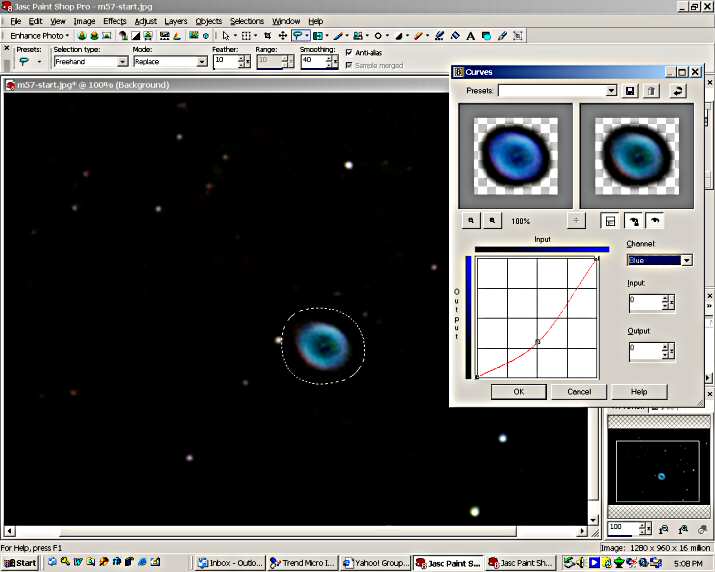
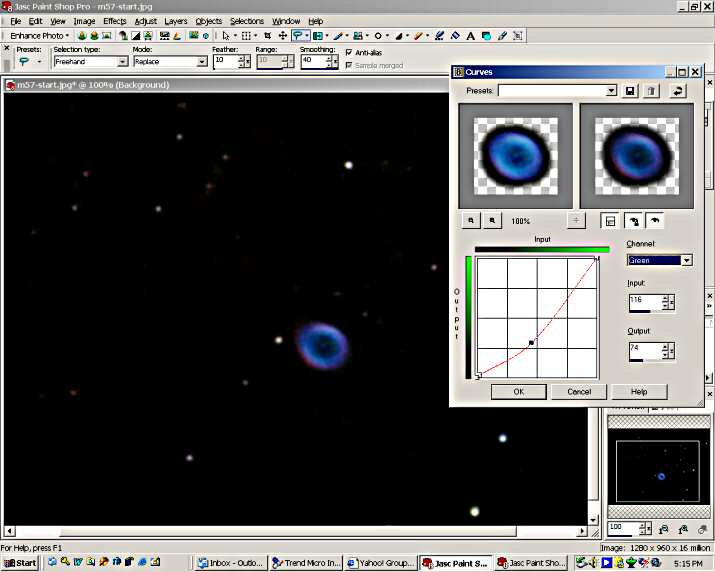
There are many tools that can be used to balance color. In this exercise I use curves to do this. After choosing curves we will make changes in each of the color channels to correct the color imbalance of the Ring Nebula. The following screen shots show each of the color channel modifications. The first is of the "Blue" channel. When working with curves to color balance, go back and forth between the channels while viewing the image to refine the balance. The blue and green will be pulled down to reduce their bias and the red will be pulled up to increase it. When the image is balanced to your satisfaction, press OK and apply the change. The "Blue" channel.
The "Green" channel.
The "Red" channel.
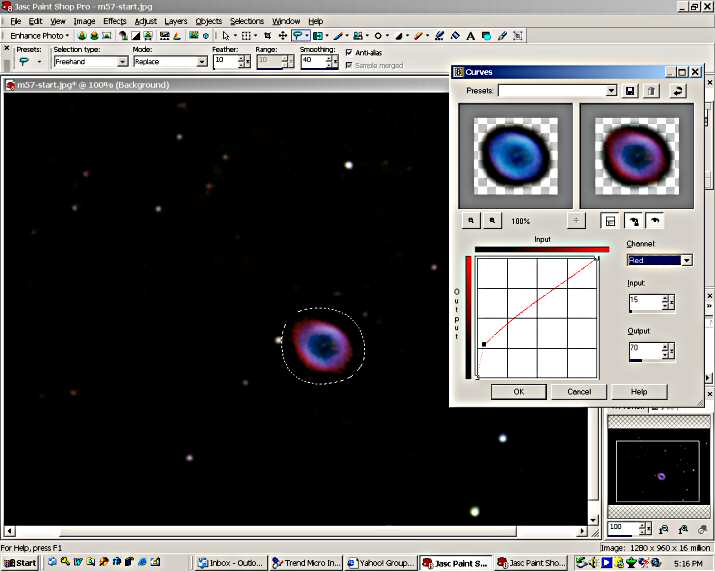
Note that the "Red" curve is increased mostly in the lower portion of the curve. This is to bring out the very faint red part of the Ring Nebula. This is mostly on the upper left of the Ring. This brings out the "egg" shape of the Ring. If you remember, we lowered the faint part of the Red channel during the background noise reduction procedure. We are now restoring that faint red to the area of the nebula. Had the noise not been removed, the red still would probably had to be raised somewhat, but not as much. Now that the corrections have been made, deselect the area by right clicking on the image outside of the selected area. The colors were there all the time. They just needed a little help to be seen.
|
